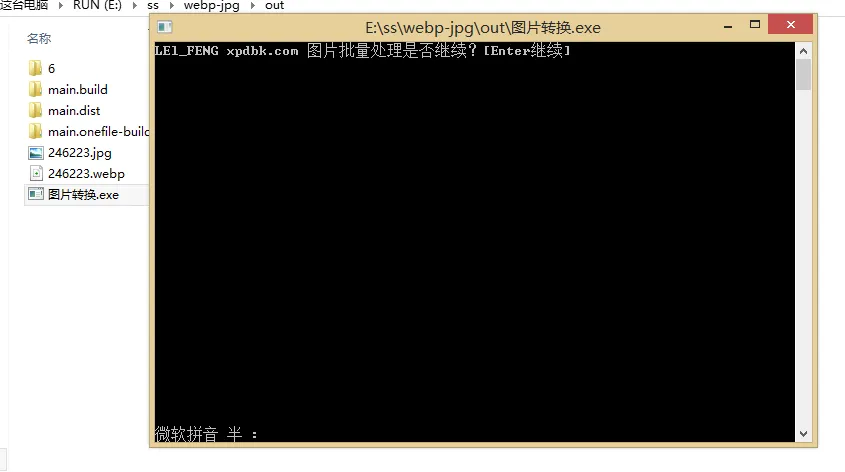
1
 2
 3
 4
 5
 6
 7
 8
 9
10
11
12
13
14
15
16
17
18
19
20
21
22
23
24
25
26
27
28
29
30
31
32
33
34
35
36
37
38
39
40
41
42
43
44
45
46
47
48
49
50
51
52
| import os
import sys
import time
from PIL import Image
from tqdm import tqdm
def convert_to_webp(input_file, output_file, quality=80):
try:
with Image.open(input_file) as im:
im.save(output_file, "webp", quality=quality)
print(f"Converted: {input_file} => {output_file}")
except Exception as e:
print(f"Error converting file: {input_file}")
print(str(e))
def convert_to_jpg(input_file, output_file):
try:
with Image.open(input_file) as im:
im.save(output_file, "JPEG")
print(f"Converted: {input_file} => {output_file}")
except Exception as e:
print(f"Error converting file: {input_file}")
print(str(e))
def process_folder(folder_path, conversion_type):
for root, dirs, files in os.walk(folder_path):
for filename in tqdm(files):
if conversion_type == 1 and filename.lower().endswith('.webp'):
input_file = os.path.join(root, filename)
output_file = os.path.splitext(input_file)[0] + ".jpg"
convert_to_jpg(input_file, output_file)
elif conversion_type == 2 and any(
filename.lower().endswith(ext) for ext in ['.jpg', '.jpeg', '.webp', '.jpeg']):
input_file = os.path.join(root, filename)
output_file = os.path.splitext(input_file)[0] + ".webp"
convert_to_webp(input_file, output_file)
if __name__ == "__main__":
print("LEl_FENG xpdbk.com 图片批量处理是否继续?[Enter继续]")
input()
print("webp转换jpg[1]\npng和jpg转换[2]\n想要转换请输入1或者2")
conversion_type = int(input())
print("请您一定要知道本程序是转换程序所在的文件夹里面的所有图片所以请您一定要小心[Enter继续]")
input()
folder_path = os.path.dirname(sys.argv[0])
process_folder(folder_path, conversion_type)
print("转换完成,程序将在5秒后自动退出。")
time.sleep(5)
|