
Table of contents
TL;DR / [Geek Summary]:
- Resource Harvesting: Score zero-cost enterprise-grade IBM LinuxOne compute (s390x arch) with a high-perf IPv4 VPS.
- Risk Mitigation: Use human-like registration strategies and authentic use-cases to dodge auto-ban systems and IP blacklisting.
- Arch Warning: While beefy, be wary of s390x compatibility issues vs. x86 and strict bans for high traffic or sustained I/O.
Among the free VPS , some require credit card verification, and some do not. This tutorial will help you apply for a Linux One IPv4 VPS
# Prepare materials
- An email address (preferably a popular email address such as gmail or QQ) xiaopang@xpdbk.com This type of email address can also be registered)
# Application process
If your account has just been blocked, please change a proxy or IP to register again, otherwise your email address will be blocked
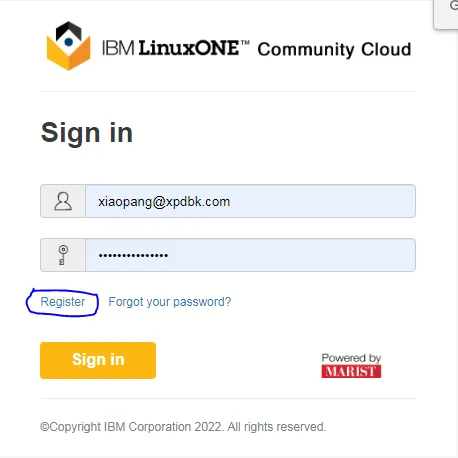
- Use the local network to open the registration page and click Register
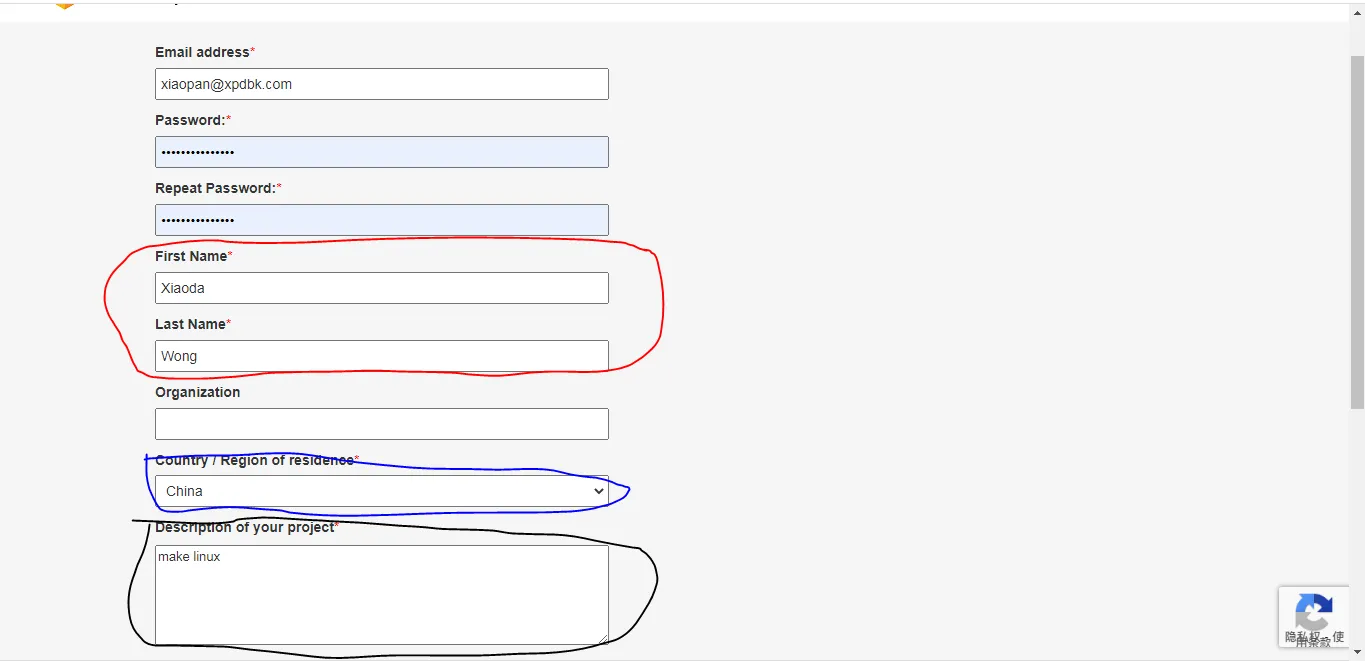
- Enter the email address and name, as well as the purpose of the application (try to be as real as possible), and then click the Request your trial button
You can use your brain to think of the most unconventional name for the red circle
The circled blue circle must correspond to your location, otherwise the application will not be accepted
The reason for the black circle must be more real (~~ I use Linux to play games~~)
- If the prompt in the picture appears, it means that the account application is successful

- Click the link in the email to activate the account

- After logging into the account, another email will remind you of the account expiration date. You can still use the same email to continue to register at that time

- Click and select in order

- After waiting for 1-4 minutes, the control panel will show the IP of the VPS and the login username
# Experience
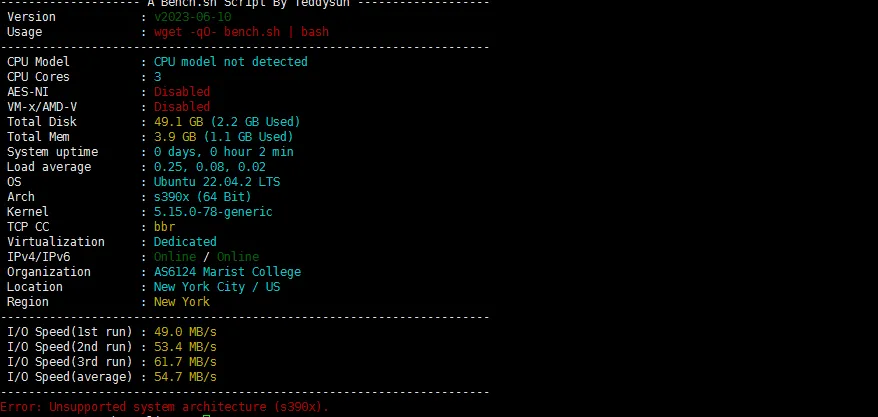
Very good configuration
# Common reasons for account suspension
Large traffic
CPU usage is full for a long time (not counted)
Network IO is occupied for too long
# Summary
With IPV4, speed and configuration
Easy to be suspended