Protocol Transcoding: Use FFmpeg to slice standalone MP4s into HLS (M3U8+TS) streams for smooth web delivery.
Keyframe Tuning: Force I-frame injection via -force_key_frames to fix slice misalignment and player stuttering.
Full-Stack Logic: Covers advanced CLI tricks plus multi-language (PHP/Python/Go/Rust) snippets for merging TS slices back to MP4.
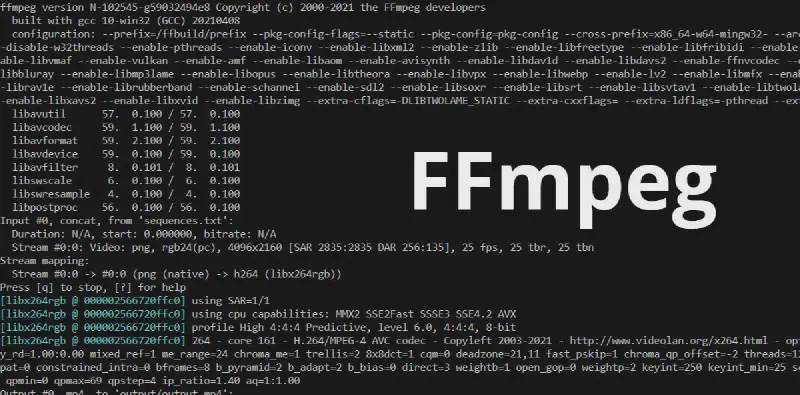
FFmpeg is a set of open source computer programs
that can be used to record, convert digital audio and video, and convert them into streams. It provides software for recording, converting and streaming audio and video.
M3U8 is the Unicode version of M3U, encoded in UTF-8. Both “M3U” and “M3U8” files are the basis of the HTTP Live Streaming (HLS) protocol format used by Apple, which can be played on devices such as iPhone and Macbook.
Simply put, m3u8 is a video format that divides a video into many small parts, which makes it easier to load the video.
Generate a ts file every 15 seconds for the input.mp4 video file, and finally generate an m3u8 file. The m3u8 file is the index file of ts.
We can directly open the m3u8 file with playback software such as VLC media player, just like playing mp4.
The default length of each piece is 2 seconds. The m3u8 file only saves the information of the latest 5 pieces by default, resulting in only the last small part of the last playback (pay special attention when live streaming).
-hls_time n sets the length of each piece. The default value is 2, in seconds.
-hls_list_size n Set the maximum number of entries saved in the playlist. If set to 0, all the information of the film will be saved. The default value is 5.
-hls_wrap n Set the number of films to start overwriting. If set to 0, no overwriting will be done. The default value is 0. This option can avoid storing too many films on the disk and limit the maximum number of films written to the disk.
-hls_start_number n Set the value of sequence number in the playlist to number. The default value is 0.
Note: The sequence number of the playlist must be unique for each segment, and it cannot be confused with the file name of the film (when using the wrap option, the file name may be reused).
For more parameters, please see the document: ffmpeg.org/ffmpeg.html#Video-Options
TS file is an extension of a media, which is a packaging format for Japanese high-definition cameras. MPEG2-TS (Transport Stream; also known as TS, TP, MPEG-TS or M2T) is a communication protocol for audio, image and data, and was first used in real-time transmission of DVD programs. The characteristic of the MPEG2-TS format is that it requires that any segment of the video stream can be independently decoded.
To play the ts slice of m3u8, you must download a ts slice completely before you can play it. Set the hls_time time interval as short as possible (depending on the actual situation). In the actual process, set the slicing time interval to 2 seconds and call the following command:
But the slice is not performed according to the input parameters.
Reason:
The cutting of ts file is also related to the GOP size of the original file video (that is, the time interval between two I frames), because the first frame of any ts segment must be an I frame, otherwise it cannot be played at the fastest speed, and the first frame is not an I frame, which is meaningless to the player and is directly thrown away by the player. Any video stream must obtain the first I frame to successfully decode the picture. Although it is specified to cut a ts file in 1 second, in fact, since the original video stream may have an I frame for several seconds, it must wait until the next I frame to restart the slicing.
Solution:
Since it is known that a ts segment is generated in 1 second, it is necessary to force a key frame to be generated in one second during the slicing process.
Set the key frame interval, and set the interval to 2 seconds as follows: -force_key_frames "expr:gte(t,n_forced*2)“
The working principle of HLS is to divide the entire stream into small HTTP-based files for download, and only download some at a time.
While a media stream is playing, the client can choose to download the same resource from many different alternative sources at different rates, allowing the streaming session to adapt to different data rates.
When starting a streaming session, the client downloads an extended M3U (m3u8) playlist file containing metadata for finding available media streams.
HLS only requests basic HTTP messages, and unlike the Real-time Transport Protocol (RTP), HLS can pass through any firewall or proxy server that allows HTTP data to pass through.
It is also easy to use a content distribution network to transmit media streams.
$url='https://******.m3u8?Expires=15853412145&OSSAccessKeyId=******&Signature=******';$ts_content=file_get_contents($url);$ts_content=explode(',',$ts_content);$ts_file=array();foreach($ts_contentas$key=>$value){if($key==0)continue;$value=trim($value);$ts_file[]=substr($value,0,strpos($value,'.ts')+3);}$url_prefix=substr($url,0,strpos($url,'.m3u8'));$url_prefix=substr($url,0,strrpos($url,'/')+1);$file_content='';foreach($ts_fileas$key=>$value){$file_content.=file_get_contents($url_prefix.$value);}file_put_contents('tmp_out.ts',$file_content);// FFMPEG_PATH is the bin path to decompress ffmpeg yourself, for example, mine is F:/ffmpeg/bin/
exec(FFMPEG_PATH."ffmpeg -i tmp_out.ts tmp_out.mp4");
importosimportsysimporttimefromCrypto.CipherimportAESdeffileList(findex):rpath=os.path.dirname(os.path.realpath(findex))name=rpath.split("\\")[-1]fi=open(findex,'r')flag=FalseIV=Nonetl=[]forlineinfi.readlines():ifline.startswith("#EXT-X-KEY"):# If IV exists, extract it;ifline.split(",")[-1].startswith("IV="):IV=line.split(",")[-1][5:]IV=bytes.fromhex(IV)ifline.startswith("#EXTINF"):flag=notflagcontinueifflag:tmp=line.strip().split("/")[-1]tmp=os.path.join(rpath,tmp)tl.append(tmp)flag=notflagfi.close()fk=open(os.path.join(rpath,"key"),'rb')key=fk.read()fk.close()returnname,tl,key,IVdefaes_decode(data,key,IV):# If no IV value is specified, use the key value directlyifnotIV:IV=keycryptor=AES.new(key,AES.MODE_CBC,IV)plain_text=cryptor.decrypt(data)returnplain_textdefmain():fp=os.listdir()used=[s[:-4]forsinos.listdir("./result/")]forindinfp:ifnotind.isdigit():continueifindinused:continuetry:name,fl,key,IV=fileList(os.path.join(ind,"index.m3u8"))except:print("-"*30)print("[-] Error! file: ",ind)print("-"*30)continueprint("[*] Begin process file: ",name)start=time.time()f=open(os.path.join("./result/",name+".mp4"),'ab')foriinfl:withopen(i,'rb')asinf:data=inf.read()f.write(aes_decode(data,key,IV))f.close()print("[+] Successfully! Cost time: ",time.time()-start)main()