
Table of contents
TL;DR / [Geek Summary]:
- Performance Hack: Tweak browser flags to unlock Chrome’s hidden multi-threaded parallel downloading.
- Path: Jump to
chrome://flags/#enable-parallel-downloadingand toggle it to Enabled.- Gains: Achieve exponential speed boosts without bloating your system with 3rd-party download managers.
When using Chrome , we sometimes need to download large files. Due to Chrome’s default single-thread limitation, it cannot fully utilize bandwidth for downloads. In this article, I will show you how to enable multi-threaded download settings in Chrome.
# Prerequisites
- Chrome Browser
# Steps
- Open Chrome browser and go to
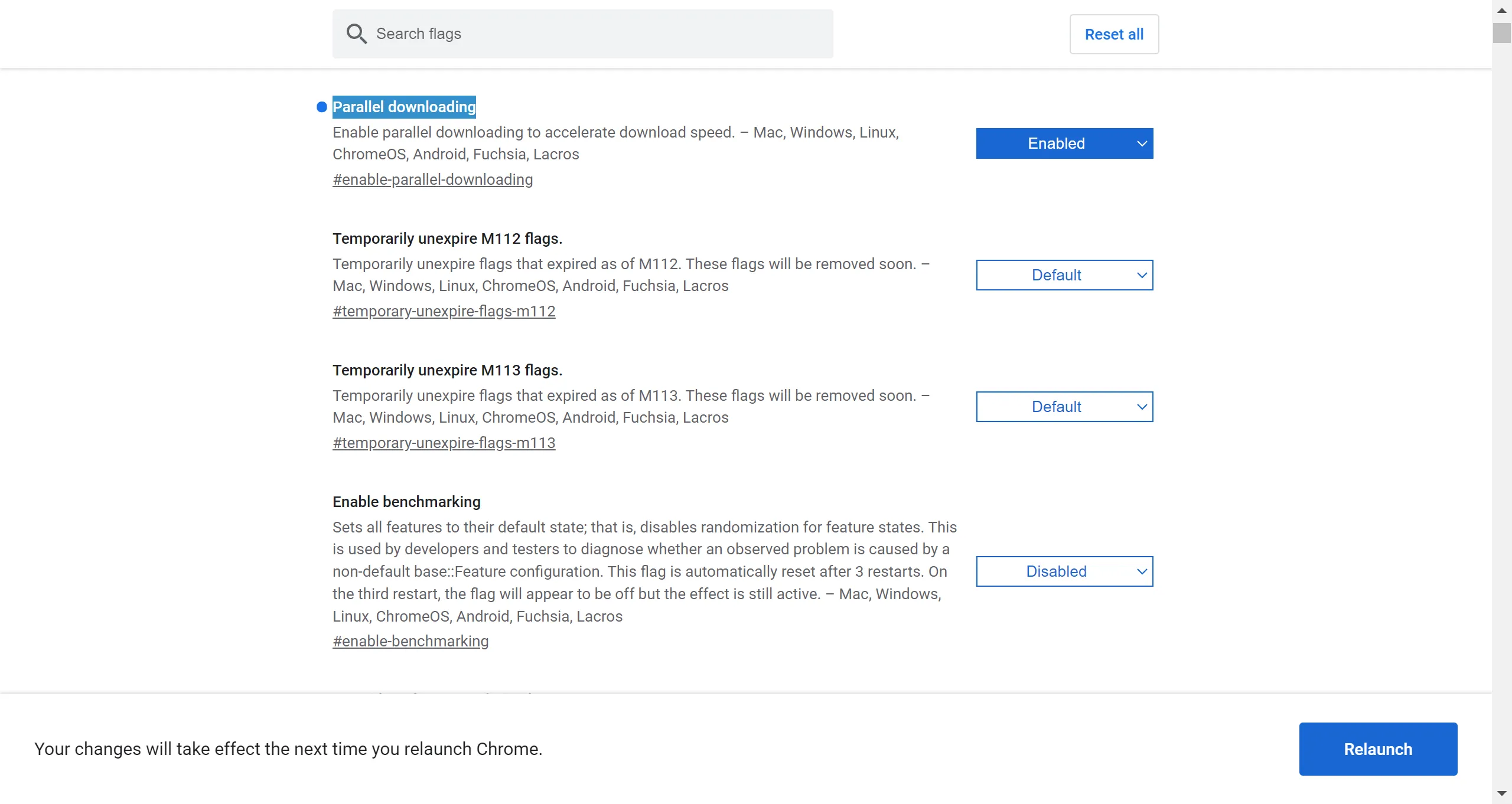
chrome://flags/#enable-parallel-downloading. SetParallel downloadingtoEnabled. Then click theRelaunchbutton.
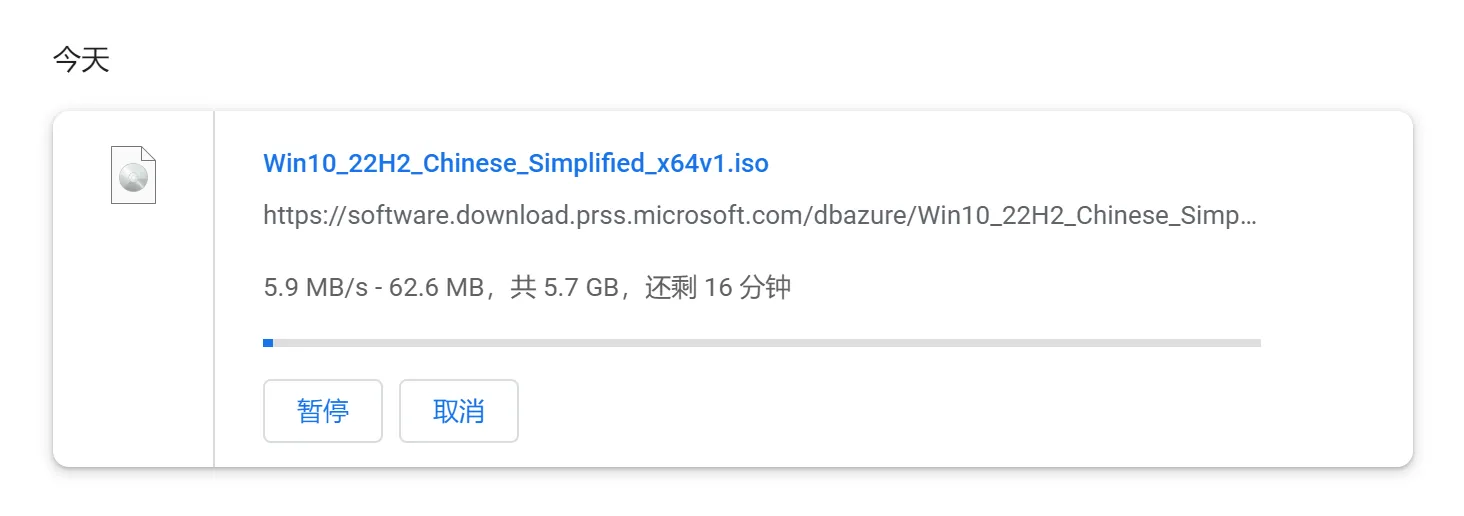
- You can see the download speed has increased from the original 100+ KB/s to around 5-6 MB/s.
# Conclusion
This method allows you to achieve high-speed downloads without using IDM (Internet Download Manager).